CAT6 Cabling Installation Guide for Fast and Reliable Networks
A fast network rarely fails because of the switch on the rack or the access point on the ceiling. More often, the weak point is hidden in the walls, above the tiles, or bundled carelessly in a crowded closet. I have seen offices spend heavily on new firewalls, managed switches, and faster internet circuits, only to discover that their performance bottleneck was poor network cabling installed years earlier with no real plan.
That is why CAT6 cabling still matters. It sits in a practical sweet spot for many commercial environments, offering solid bandwidth, dependable performance, and reasonable installation cost. When the work is done well, users never think about it. Video calls stay stable, file transfers move quickly, printers behave, VoIP phones stop dropping, and the network team gets fewer mysterious tickets.
A proper CAT6 cabling installation is not just about pulling cable from point A to point B. It is a low voltage cabling project that affects reliability, future upgrades, troubleshooting time, and even the look and usability of the space. Good installers think about bend radius, cable pathways, labeling, patch panel layout, certification, and what the business will need three years from now, not only what it needs this week.
What CAT6 is really meant to do
CAT6 cabling was designed to support Gigabit Ethernet comfortably and, under the right distances and conditions, can also support 10 Gigabit Ethernet over shorter runs. In many offices, that is more than enough. A typical workstation does not need 10 gigabit to the desk. Most users need consistent, low-latency access to cloud platforms, internal files, voice services, and wireless infrastructure. CAT6 handles that well when the installation is clean.
It helps to separate cable category marketing from practical business network installation. People often hear CAT6, CAT6A, and fiber discussed together and assume newer always means better. That is not always true. Better means appropriate for the site, the distance, the environment, the budget, and the growth plan.
For a small or mid-sized office, CAT6 often makes excellent sense for office network cabling to desks, conference rooms, printers, cameras, and many wireless access points. CAT6A cabling becomes more attractive when the design calls for widespread 10 gigabit links over full channel lengths, higher power PoE devices, or denser bundles where alien crosstalk and heat deserve extra attention. CAT6A is thicker, stiffer, and usually more labor-intensive to terminate and route. Those trade-offs matter in real ceilings and tight risers.
Start with the building, not the cable box
Every solid network cabling installation begins with a walk-through. Before anyone unspools a reel, someone needs to understand the building. That means ceiling type, wall construction, riser access, existing conduits, electrical pathways, telecom room location, HVAC conditions, and the likely path between users and the main distribution point.
Older buildings are where assumptions go to die. You may expect an easy route above a drop ceiling, then find fire breaks, crowded conduit, or legacy cabling abandoned in place. Newer spaces have their own issues, especially open offices with polished concrete, exposed ceilings, or furniture layouts that may change every quarter. In those environments, floor boxes, columns, consolidation points, and neatly planned structured cabling matter more than people realize during design.
A few questions early in the project can prevent expensive change orders later:

- How many active drops are needed now, and how many are likely within the next two to three years?
- Which endpoints need PoE, such as phones, cameras, access points, or access control devices?
- Where will switches, patch panels, and rack equipment live, and is there adequate power and cooling?
- Are any cable routes going through plenum spaces, outdoors, or between buildings?
- Will any runs realistically need CAT6A cabling or fiber instead of standard CAT6?
Those questions shape nearly everything that follows. They also separate a thoughtful data cabling project from a hurried pull-and-terminate job.
Planning the cable plant for real use
The easiest network to support is the one that was laid out logically. That sounds obvious, yet many offices end up with patchwork cabling because each expansion was handled as an isolated task. A new conference room gets three drops, then a copier moves, then a security camera appears near the rear exit, then another tenant vacates a suite and the floor plan changes. Without a plan, the rack becomes a puzzle and the ceiling becomes a tangle.
A proper structured cabling design should map user locations, shared devices, wireless coverage, and support spaces. For desks, I usually recommend at least two data ports per station in business environments that expect stability and flexibility, even if only one is activated at move-in. That extra port often saves a lot of trouble later when a phone, docking station, printer, or second device appears. Conference rooms usually need more than people first estimate. A room that currently supports a display and a conference phone may soon need a room PC, a wireless presentation unit, a camera, and a dedicated access point.
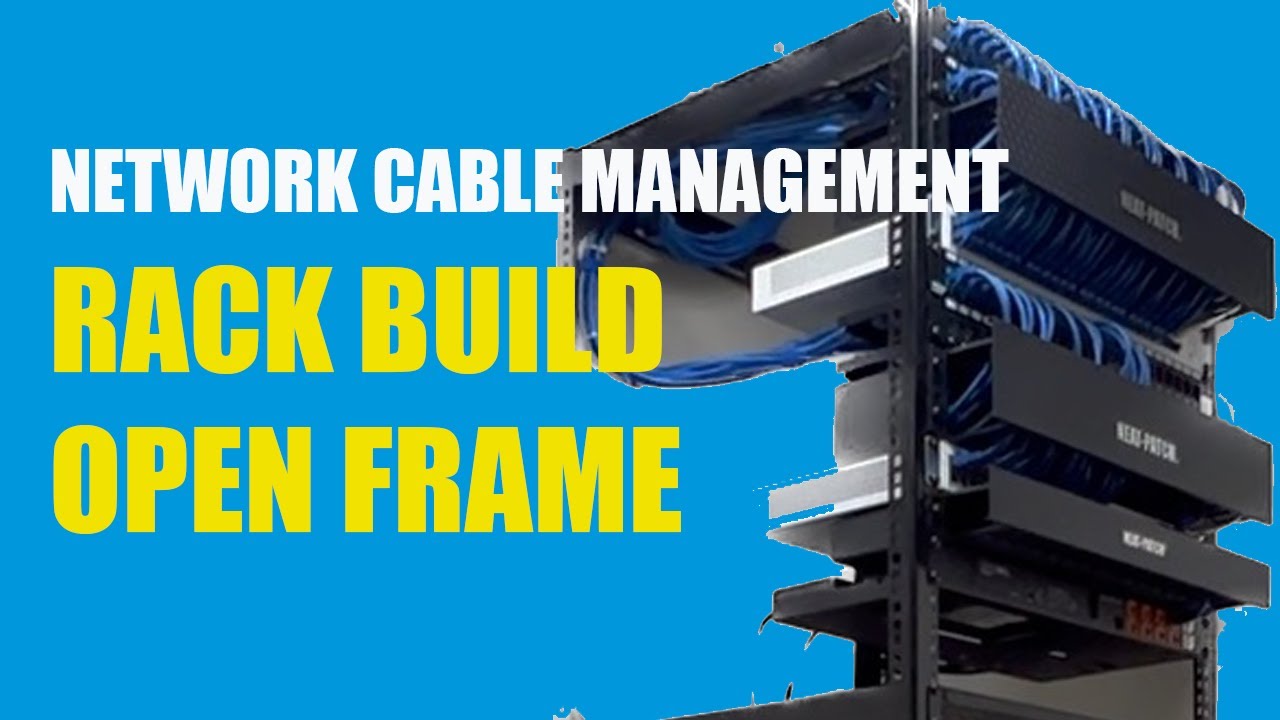
Telecom rooms deserve just as much attention as work areas. The rack layout should leave space for clean patching, horizontal and vertical cable management, labeled patch panels, UPS hardware, and switch growth. I have seen technically functional closets become operational hazards because no one left room for service loops, airflow, or future panels. That kind of shortcut rarely shows up in the initial quote, but it costs time every time someone has to trace a port.
Choosing CAT6, CAT6A, or something else
Most people asking for CAT6 cabling are actually asking for confidence. They want to know the network will hold up for years. The answer depends on use case.
CAT6 works well for the majority of horizontal runs in standard office settings. It is easier to install than CAT6A, easier to manage in bundles, and less physically demanding in crowded pathways. If the goal is dependable Gigabit Ethernet to endpoints, strong PoE support, and headroom for normal business traffic, CAT6 is still a sensible choice.
CAT6A cabling earns its keep in situations where full 10 gigabit support over longer distances is part of the design target, or where power and cable density are significantly higher. Large conference suites, media-heavy teams, certain industrial spaces, and high-end commercial builds sometimes justify that investment. The labor side matters, though. CAT6A has a larger diameter and tighter handling requirements. Installers need more room in pathways, larger fill calculations, and more patience at the patch panel.
There is also the issue of future proofing, a phrase that gets overused. Installing CAT6A everywhere because it might be useful someday is not always prudent. Sometimes the smarter path is CAT6 for horizontal ethernet cabling, plus fiber uplinks between telecom rooms, floors, or buildings. That combination often gives businesses the performance they need without overcomplicating every endpoint run.
The installation work that determines performance
Cable category alone does not guarantee results. I have tested brand-new cable that failed certification because it was pulled too hard, kinked around sharp framing, dressed too tightly with zip ties, or untwisted too far back at termination. Good data cabling lives or dies on workmanship.
Pull tension matters. So does bend radius. Copper cable is more forgiving than people think until it suddenly is not. A cable can look fine from the outside while its internal geometry has been compromised. Once that happens, the link may pass a basic continuity check but struggle under actual network load, especially on higher-speed links or when PoE is involved.
Separation from electrical lines is another common problem. In commercial environments, low voltage cabling often shares routes with other services, but it still needs proper spacing and support. That becomes especially important near fluorescent lighting systems, motors, elevator equipment, and electrical feeders. The exact separation requirements depend on local code, the type of pathway, and shielding choices, so the installer must know both standards and site conditions.
Termination quality also matters more than many clients expect. Keystones, jacks, patch panels, and patch cords are part of the channel. Mixing poor-quality components into an otherwise decent CAT6 cabling job is a false economy. It usually shows up later as intermittent link drops or unexplained speed negotiation issues.
For that reason, experienced installers pay attention to a handful of discipline points during the work:
- Keep cable twists intact as close to the termination point as practical.
- Maintain bend radius and avoid tight cinching that deforms the jacket.
- Support cables properly in trays, hooks, or approved pathways, not on ceiling grids.
- Label both ends clearly and consistently before the project starts growing.
- Test and certify every installed run, not just a sample.
Those habits are not glamorous, but they are what make a network stable.

Pathways, fire code, and building realities
One of the biggest differences between DIY cabling and professional network cabling installation is respect for the building itself. A cable route is never just a route. It may involve plenum spaces, fire-rated walls, shared risers, asbestos concerns in older sites, occupancy restrictions, and coordination with electricians, HVAC crews, or general contractors.
Cable jacket type is a good example. Plenum-rated cable is required in certain air-handling spaces, while riser-rated cable may be suitable in vertical shafts that are not used for air return. Using the wrong cable type can create code issues, inspection problems, and liability that far exceed the cost difference in materials.
Fire stopping is another area where shortcuts cause headaches. Every penetration through a rated wall or floor needs proper treatment. I have walked into otherwise decent cabling projects where the data work looked clean but the penetrations were left open or patched casually. That puts the building owner and contractor in a bad position during inspection and can delay occupancy.
The pathway itself should also reflect how the space will evolve. J-hooks may be fine in some areas. Tray may be better in denser routes or where future additions are expected. Conduit has value for exposed sections, vulnerable locations, and outdoor transitions, but it also has fill limits and can become a choke point if undersized. There is no single correct method for every building. Good judgment comes from balancing code, access, cost, and future maintenance.
Rack layout and patching discipline
A clean rack is not about aesthetics alone. It directly affects supportability. In a busy office, every unlabeled patch cord becomes a future service ticket. Every overstuffed patch panel makes adds and changes slower. Every unmanaged loop of cable blocks airflow and invites mistakes.
For office network cabling, I prefer patch panels laid out in a way that mirrors floor geography whenever possible. One section for the north wing, one for conference rooms, one for support areas, one for wireless, and so on. This makes troubleshooting intuitive. Labels should be human-readable first, not just technically correct. A label like "IDF-A PP2 17" may satisfy internal logic, but "conf west table 1" is what helps during a live support call.
Patch cords deserve some discipline too. This is one of the easiest places for a well-built structured cabling system to degrade over time. Cheap, overly long cords create clutter and strain. Random color use makes tracing harder. A simple color convention for voice, data, wireless, cameras, or uplinks can save real time, provided the team sticks with it.
Testing is where good installers prove the work
There is a major difference between proving a cable has continuity and proving it meets category performance. Continuity testers have their place, but they are not enough for professional business network installation. If a client is paying for CAT6 cabling, the installed links should be certified to the applicable standard using proper test equipment.
Certification catches issues that visual inspection will miss. Return loss problems, excessive untwist, split pairs, near-end crosstalk, and marginal terminations can all hide until testing. On more than one project, I have seen a run look perfect on the faceplate and patch panel, only to fail because it was bent too sharply above a beam or damaged when another trade moved a lift through the space.
The deliverable matters too. A proper test record gives the client a baseline. When a port acts up two years later, the team can compare current behavior against the original certified result. That is especially useful in multi-tenant offices, renovations, or sites where many contractors touch the ceiling over time.
Common mistakes that cost more later
The most expensive errors in network cabling are often the ones that seem minor during install. Leaving no slack at the rack sounds efficient until a panel needs retermination. Skipping labels saves an hour today and wastes ten later. Pulling cable through a cramped route without enough care may not show consequences until the day a department moves in and starts using every port at full load.
Another frequent mistake is underestimating drop count. Businesses commonly outgrow their original assumptions faster than expected. A lobby gains digital signage. A break room gets a smart display. The IT team adds badge readers. The facilities group installs IP cameras. Suddenly the neat little switch stack is full and the original cable pathways are crowded. Running a few extra cables during the initial project is often far cheaper than reopening pathways later.
There is also the temptation to mix cable categories and component grades haphazardly. A link is only as strong as the complete channel. If someone installs quality CAT6 horizontal cable but pairs it with bargain-bin jacks and old patch cords, they are not really buying a CAT6 system in practical terms.
What a finished installation should leave behind
A successful network cabling job should not end with the last faceplate screwed on. The client should receive something usable: labeled ports, test results, rack diagrams or at least logical port schedules, and clear identification of spare capacity. If there are exceptions, such as a run that took a nonstandard route or a temporary patch during construction, those details should be documented openly.
This is where experienced contractors stand apart. They understand that data cabling is infrastructure, not just labor. Infrastructure needs records. The business may switch IT providers in the future. It may renovate, expand, or sublease part of the floor. Clear documentation keeps the cable plant valuable long after the original installers have left the site.
When to bring in a specialist
Not every cabling task needs a large contractor, but many business environments benefit from a team that handles low voltage cabling routinely. Multi-floor projects, healthcare spaces, warehouses, occupied offices, retail chains, and sites with access control or camera integration all introduce layers that can trip up a generalist.
A specialist will usually spot issues earlier, from pathway congestion to patch panel sizing to code compliance around penetrations and cable type. They also tend to have better testing gear, better termination consistency, and stronger habits around documentation. That does not mean the lowest quote is always wrong or the highest quote is https://networkcertify137.hexaforgey.com/posts/business-network-installation-challenges-and-how-to-solve-them always right. It means the scope should be evaluated on workmanship standards, deliverables, testing, and long-term support, not just line-item material cost.
The case for doing it once and doing it right
CAT6 cabling is not flashy, but it is foundational. When planned carefully and installed with discipline, it gives businesses a dependable platform for everyday connectivity and future growth. Most of the value comes from choices that are invisible after the ceiling closes: proper routes, correct cable type, clean terminations, sensible rack design, and thorough certification.
That is the real goal of network cabling installation. Not merely to pass traffic on day one, but to create a structured cabling system that remains organized, traceable, and reliable after furniture moves, staffing changes, and technology upgrades. If the office can add phones, access points, cameras, printers, and workstations without turning the telecom room into chaos, the cabling has done its job.
For many environments, CAT6 remains the right answer. For some, CAT6A cabling or fiber belongs in parts of the design. The best result comes from matching the medium to the need, then executing the work with care. Fast and reliable networks are built that way, one clean run at a time.
Fontana Tech Pros provides professional network cabling installation, structured cabling, fiber optic installation, commercial WiFi, access control, security camera installation, alarm systems, and phone system solutions for businesses throughout Southern California. Learn more at https://fontanatechpros.com/.
Fontana Tech Pros specializes in reliable network cabling solutions for commercial offices, warehouses, schools, and industrial facilities. Our experienced team delivers high-quality structured cabling and low-voltage installations designed for long-term performance.